
AM PM 요일
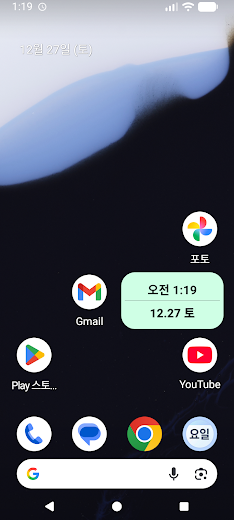
This is an app that lets you see the morning, afternoon, and day of the week through a widget.
- Total installs
- 143
- Installs / day
- —
- Rating
- —★
- Released
- 24 Dec 2025
- Last update
- 29 Sept 2026
- Countries
- —
Install history
exact counter from Google PlayInstalls per day · last 90 days
Change timeline
No changes recorded yet. We compare every crawl with the previous one and list title, icon, screenshots, description, version, price and availability changes here.
Country availability
Availability has not been checked for this app yet. “Check all countries” looks the app up in about 140 Google Play storefronts and shows where it is live, listed but not installable, or missing — plus any country-specific (custom) store listings.
Top countries
We estimate where downloads come from using the app’s position in Google Play’s top charts in about 140 countries. This app is not in any chart we have collected yet; the estimate appears as soon as it is.
Top chart positions
Not in any tracked top chart.
App manifest
Read this app's manifest from Google Play: permissions, declared SDKs, components and AdMob app ID. Saved analysis appears here automatically.
Data safety
declared by the developer on Google Play- No data shared with third parties
- No data collected
This is the developer's own declaration, summarised from the Play listing. The permissions below show what the app is technically able to access.
Permissions
1 in 1 groupOtherRoutine1
Access to miscellaneous device features that don't fit other categories
- Check with Google Play that you got this app legitimatelyGoogle Play license check ·
com.android.vending.CHECK_LICENSE
Sensitive = can reach personal data, location, camera/mic or act on your behalf. Notable = changes how your device behaves. Routine = normal for almost every app. Source: Google Play's permission list for all versions of this app.
Store listing



Full description
What's new
ko-KR 15버전 튕김 14버전 복구
Growing in Tools
Category →No Crop • Fit to any sizeKrosbits · Tools—/day · 19.2K total
Quimera ClientesAbanico Networks · Tools—/day · 566 total
RévéoChargePlugsurfing GmbH · Tools—/day · 57.9K total
ProberCyberKoala · Tools—/day · 8 total
CDbayShandong AI Innovation Development Co., Ltd. · Tools—/day · 10 total
Intuvis Notifyintuvis AI · Tools—/day · 3 total
Screen Alertcpo7 · Tools—/day · 32 total
Simple Notes, Daily NotesOne Music Player · Tools—/day · 3.5K total