
PDF Reader: Edit PDF, Viewer
Read, edit, scan, and manage PDF, Word, Excel, and PPT files anytime, anywhere.
- Total installs
- 187,567
- Installs / day
- +21
- Rating
- —★
- Released
- 10 Aug 2026
- Last update
- 21 Aug 2026
- Countries
- —
Ads promoting this app on Google, from the public Ads Transparency Center. Last seen running 9 Oct 2026 (4 days ago).
- Unique ads
- 5
- Advertisers
- 1
- First shown
- 23 Aug 2026
- Countries
- 11
 Video
Video Video
Video Video
Video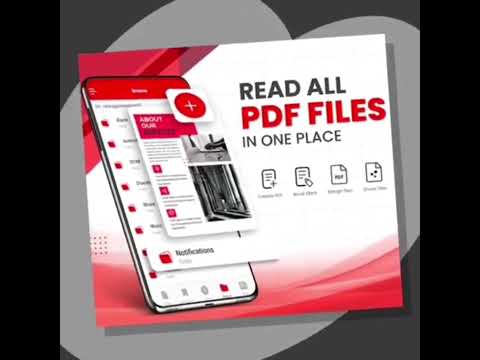 Video
Video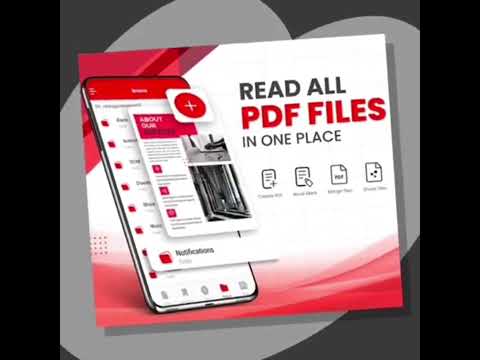 Video
Video
Formats
Top countries
+3 more countries
A unique ad is one image, video or text. Google lists the same one as a separate creative for each campaign, ad group or country.
Install history
exact counter from Google PlayInstalls per day · last 90 days
- Permissions+ read phone status and identity+ read the contents of your USB storage+ modify or delete the contents of your USB storage+ take pictures and videos+ view network connections+ full network access+ run at startup+ prevent device from sleeping+ Google Play license check
Country availability
Availability has not been checked for this app yet. “Check all countries” looks the app up in about 140 Google Play storefronts and shows where it is live, listed but not installable, or missing — plus any country-specific (custom) store listings.
Top countries
estimate · charts of 12 OctMost downloads likely come from 🇻🇪 Venezuela (~81%), out of 2 countries where it is charted.
Estimated from top-chart positions weighted by each country’s Google Play market size. Countries where the app is not in a chart are not shown, so small markets may be missing.
Top chart positions
as of 12 Oct| Chart | Country | Rank | Change |
|---|---|---|---|
| Trending · Tools | VE | #61 | ▲ 105 |
| Trending · Tools | BO | #120 | ▲ 50 |
App manifest
Read this app's manifest from Google Play: permissions, declared SDKs, components and AdMob app ID. Saved analysis appears here automatically.
Data safety
declared by the developer on Google Play- No data shared with third parties
- No data collected
- Data is encrypted in transit
This is the developer's own declaration, summarised from the Play listing. The permissions below show what the app is technically able to access.
Permissions
12 in 6 groupsWhat this app can do with your phone
- Use your camera to take photos and record videos
- Read photos, videos, and other files saved in your phone's shared storage
- Add, change or delete photos, videos and other files in your phone's storage
Photos/Media/FilesSensitive2
Access to photos, videos, music and other files stored on your device
- Read photos, videos, and other files saved in your phone's shared storageread the contents of your USB storage ·
READ_EXTERNAL_STORAGE - Add, change or delete photos, videos and other files in your phone's storagemodify or delete the contents of your USB storage ·
WRITE_EXTERNAL_STORAGE
StorageSensitive2
Access to files, photos and media saved on your phone's storage
- Read photos, videos, and other files saved in your phone's shared storageread the contents of your USB storage ·
READ_EXTERNAL_STORAGE - Add, change or delete photos, videos and other files in your phone's storagemodify or delete the contents of your USB storage ·
WRITE_EXTERNAL_STORAGE
CameraSensitive1
Access to your camera to take photos and record video
- Use your camera to take photos and record videostake pictures and videos ·
CAMERA
PhoneNotable1
Access to phone calls, call history, and voicemail
- See your phone number, device IDs, whether a call is active, and the other caller's numberread phone status and identity ·
READ_PHONE_STATE
Device ID & call informationNotable1
Access to your phone's identifiers, mobile network details, and call status
- See your phone number, device IDs, whether a call is active, and the other caller's numberread phone status and identity ·
READ_PHONE_STATE
OtherNotable5
Access to miscellaneous device features that don't fit other categories
- Start itself automatically as soon as your phone finishes turning onrun at startup ·
RECEIVE_BOOT_COMPLETED - Keep your phone's processor or screen from going to sleep, which can use more batteryprevent device from sleeping ·
WAKE_LOCK - Check whether you are online and whether you use Wi-Fi or mobile dataview network connections ·
ACCESS_NETWORK_STATE - Connect to the internet to load content and send datafull network access ·
INTERNET - Check with Google Play that you got this app legitimatelyGoogle Play license check ·
com.android.vending.CHECK_LICENSE
Sensitive = can reach personal data, location, camera/mic or act on your behalf. Notable = changes how your device behaves. Routine = normal for almost every app. Source: Google Play's permission list for all versions of this app.
Store listing


Full description
Growing in Tools
Category →RelatoEnisoft Software Studios · Tools—/day · 72 total
Bill Check for FESCO - OnlineJazyDevelopers · Tools—/day · 4.6K total
AuthenticatorDareDoc Technologies · Tools—/day · 198 total
Assamese Calendar - পঞ্জিকাTechNo Apps · Tools—/day · 16.2K total
FlixTVIng. Juan Antonio Lopez Garcia · Tools—/day · 2.1K total
EyesOnEYES ON COMMUNITY LIMITED · Tools—/day · 219 total
France NuisiblesK3D Sarl · Tools—/day · 1.5K total
Easy Compasschangmichael · Tools—/day · 0 total